- Role
- Design engineer
- I did
- Visual direction, all frontend, API design
- Team
- PM, product designer, backend and ML
- Time
- Aug 2025 to Jul 2026
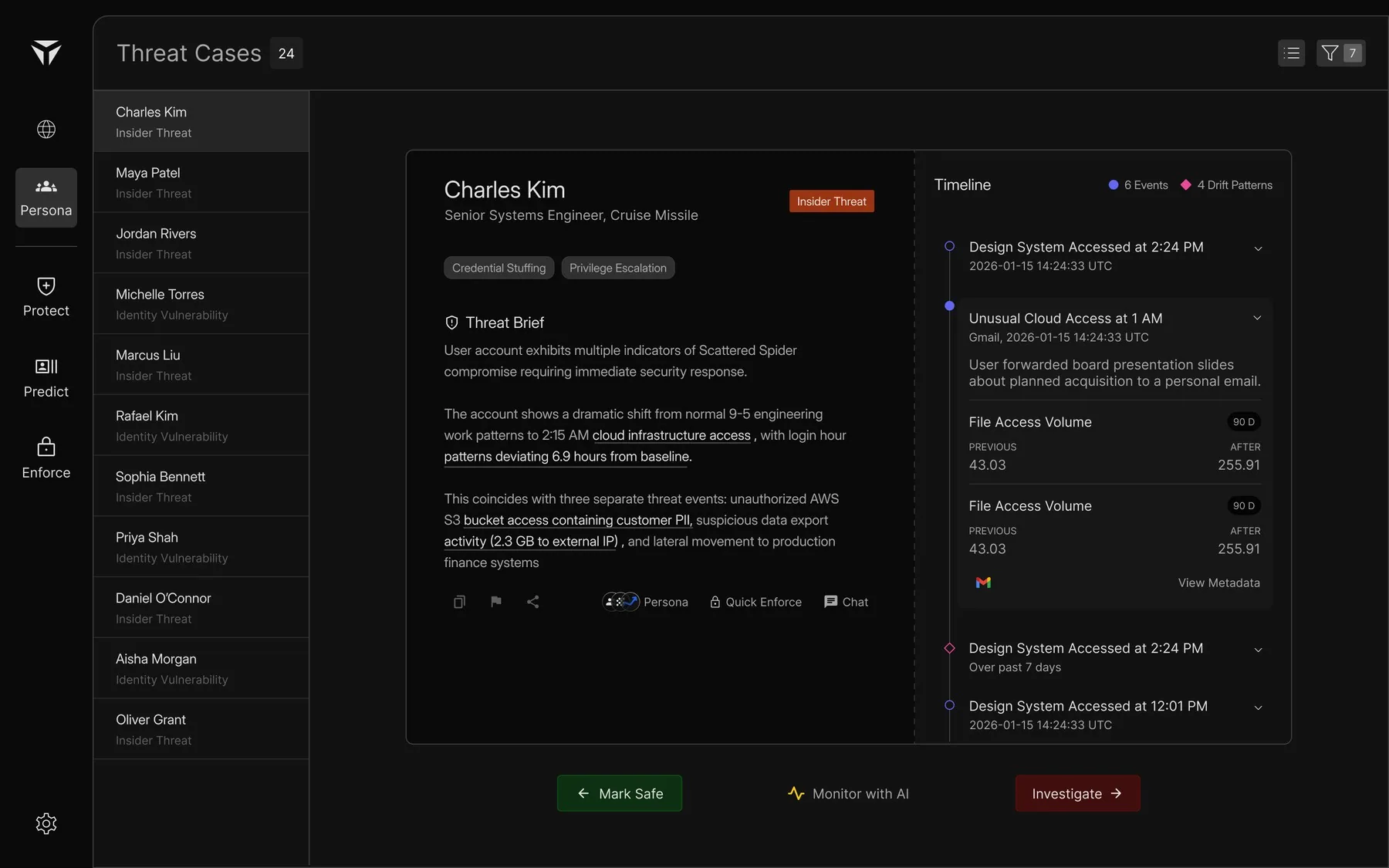
TOTAL is TruU's AI platform for insider threats. It learns how each person normally works and flags when that changes. I built its frontend end to end and designed the parts where the screen and the data had to be worked out together.
What TOTAL does
Security teams can't watch every employee, and most risky behavior looks normal one event at a time. TOTAL builds a persona for each person from their sign-ins and app activity, then raises a case when their behavior drifts away from it.
My part
A product designer drew most of the screens, and the PM moved the product from risk scores to personas. I did the early visual explorations, refined designs as they went into code, and built the whole frontend.
When a screen needed data the backend didn't return yet, I designed the API with the engineers or extended the backend myself.
I designed and built
From the first sketch to production code
I built from the team's designs
Refined the visuals, then built the frontend
I designed the API for
Worked out the data each screen needed
Personas
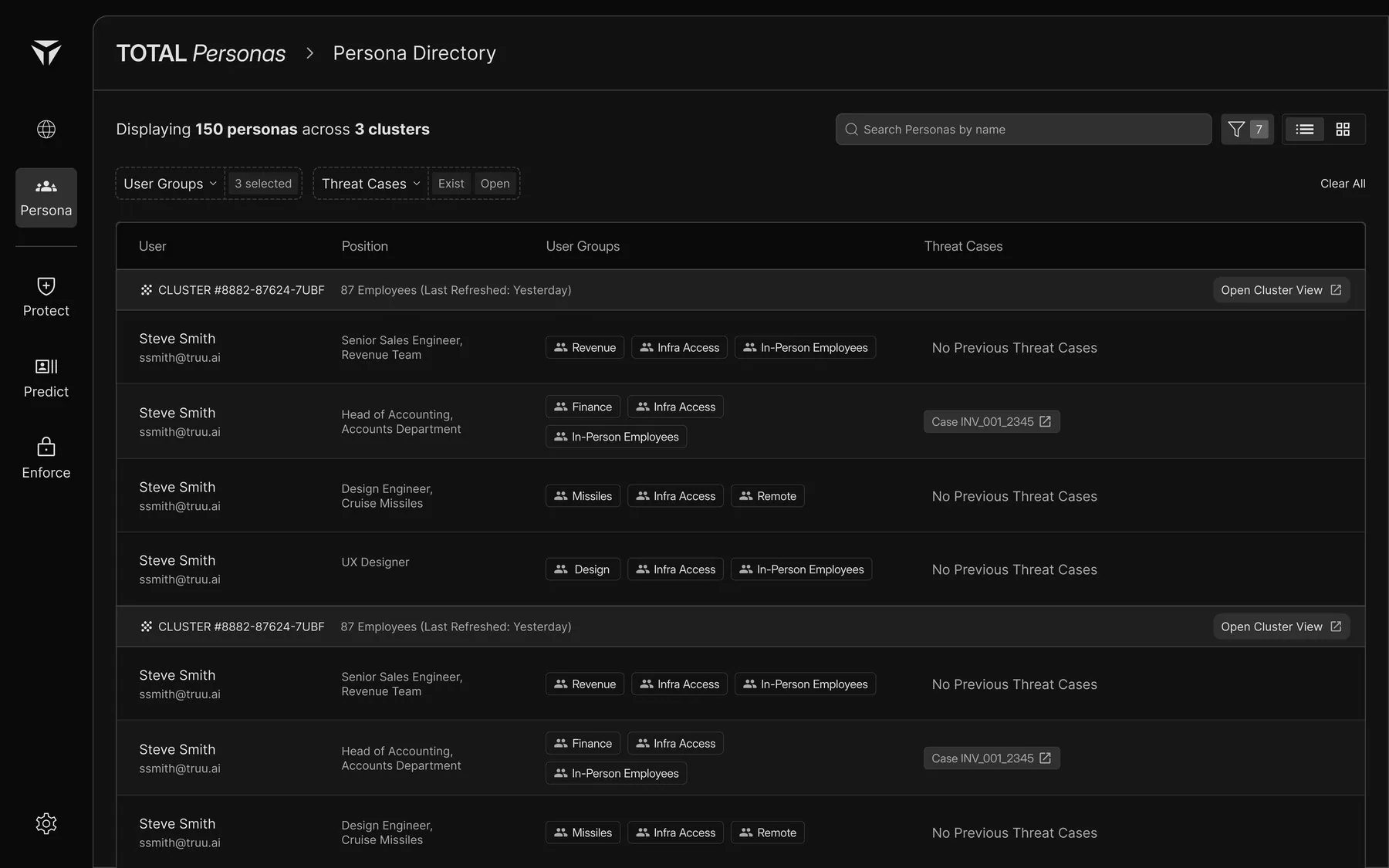
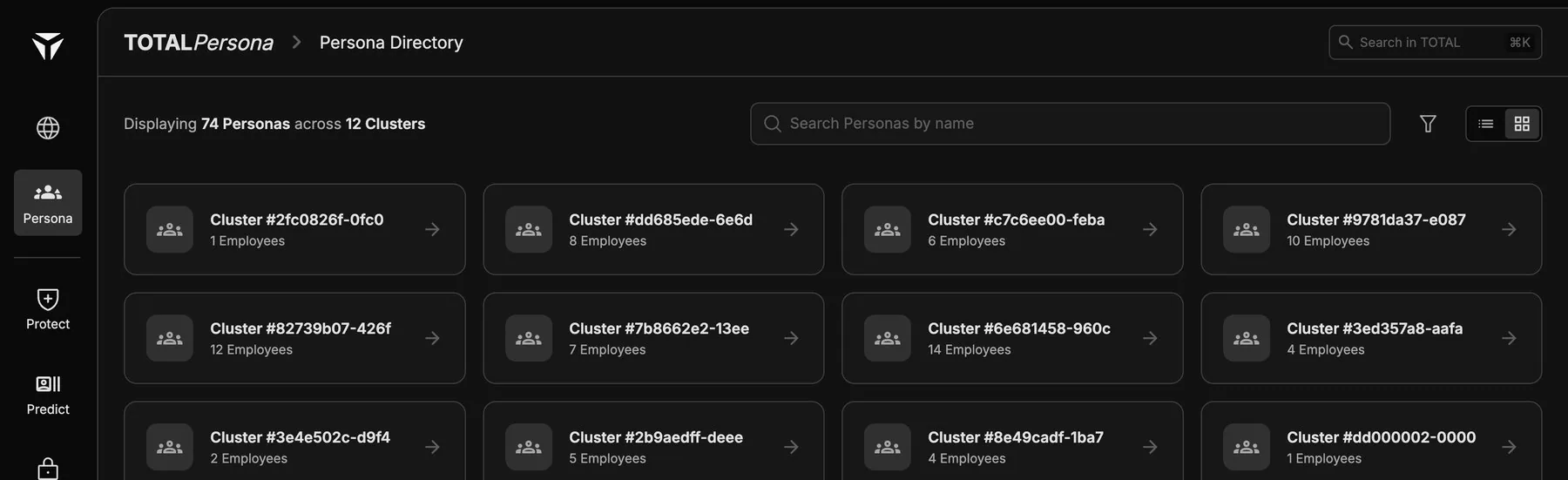
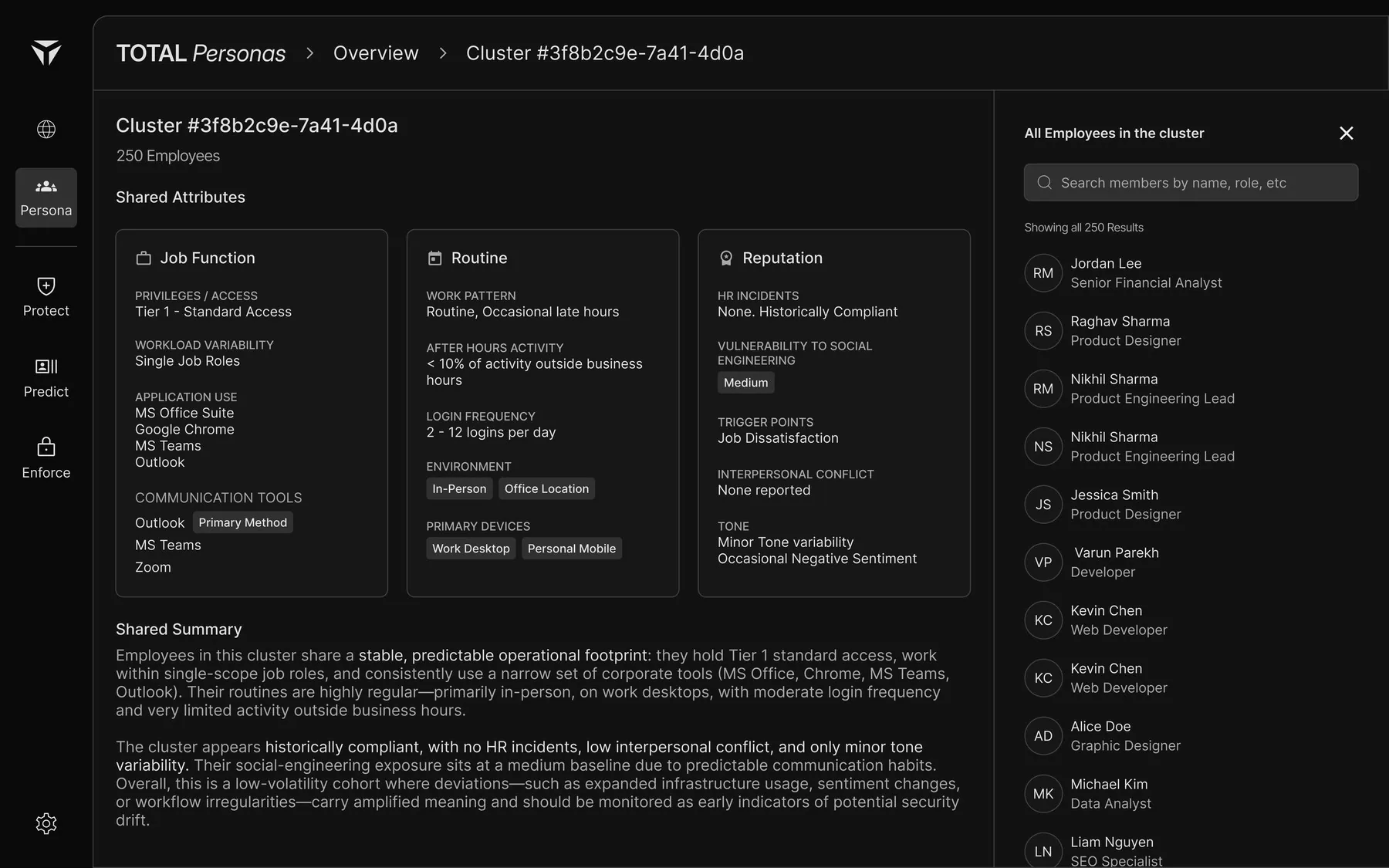
Every employee gets a persona: their job function, routine and reputation. Analysts browse them in a directory, either as a list of people or grouped into clusters of people who work alike.
I designed the API behind the directory and built the switch between the two views, so an analyst can go from one person to everyone like them and back.
Signals and drift
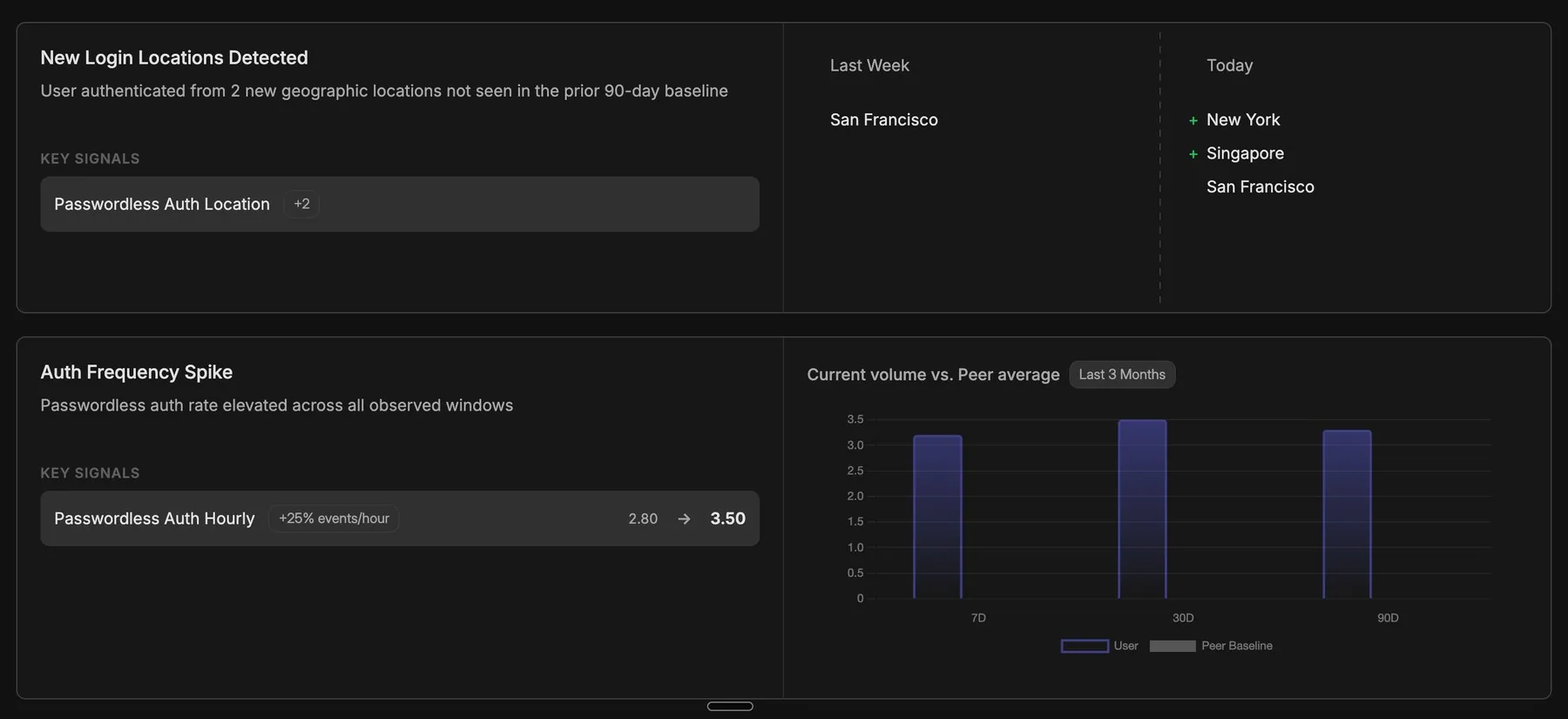
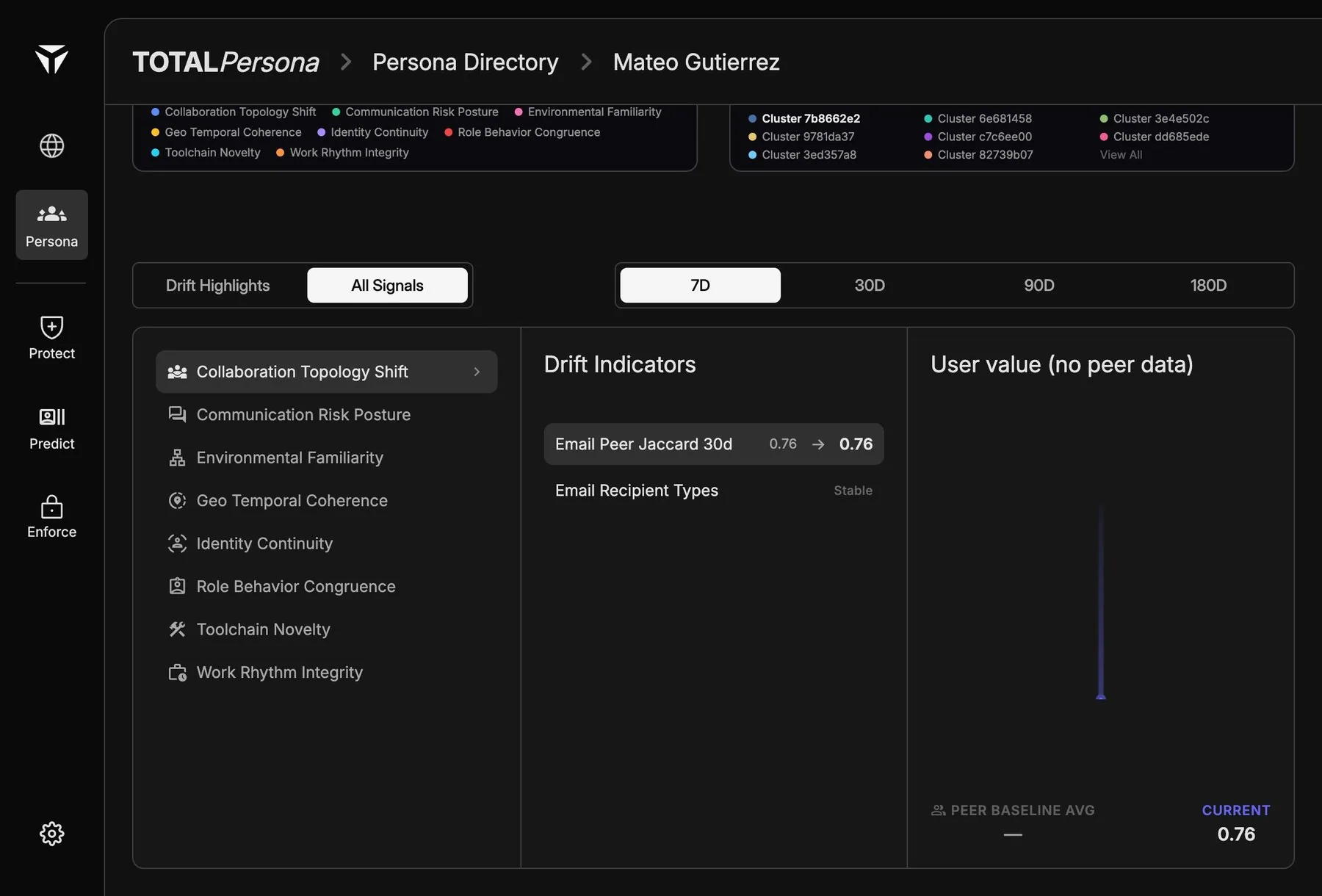
A persona page has to explain what changed, in a way an analyst can check. Drift highlights show the few signals that moved most, against the person's own baseline and their peers. All signals lists every indicator over 7 to 180 days.
I designed the API for both and built the charts.
Triage, from pitch to product
The first triage design was a stack of cases you swipe safe or unsafe. It was made for investor and sales demos, to show how quickly a threat could be cleared, and it did that job well.
Swiping isn't how people work at a desk, though. Analysts needed the evidence next to the decision, so later designs moved to a queue beside the open case, with the actions as plain buttons.
Citations, three versions
Each case comes with a threat brief written by AI. Analysts won't act on it unless they can check every claim against the raw data, so the brief needed citations.
I designed them, built them and designed their API, so each citation in the brief knows which timeline entry it points to. It took three versions to get right.
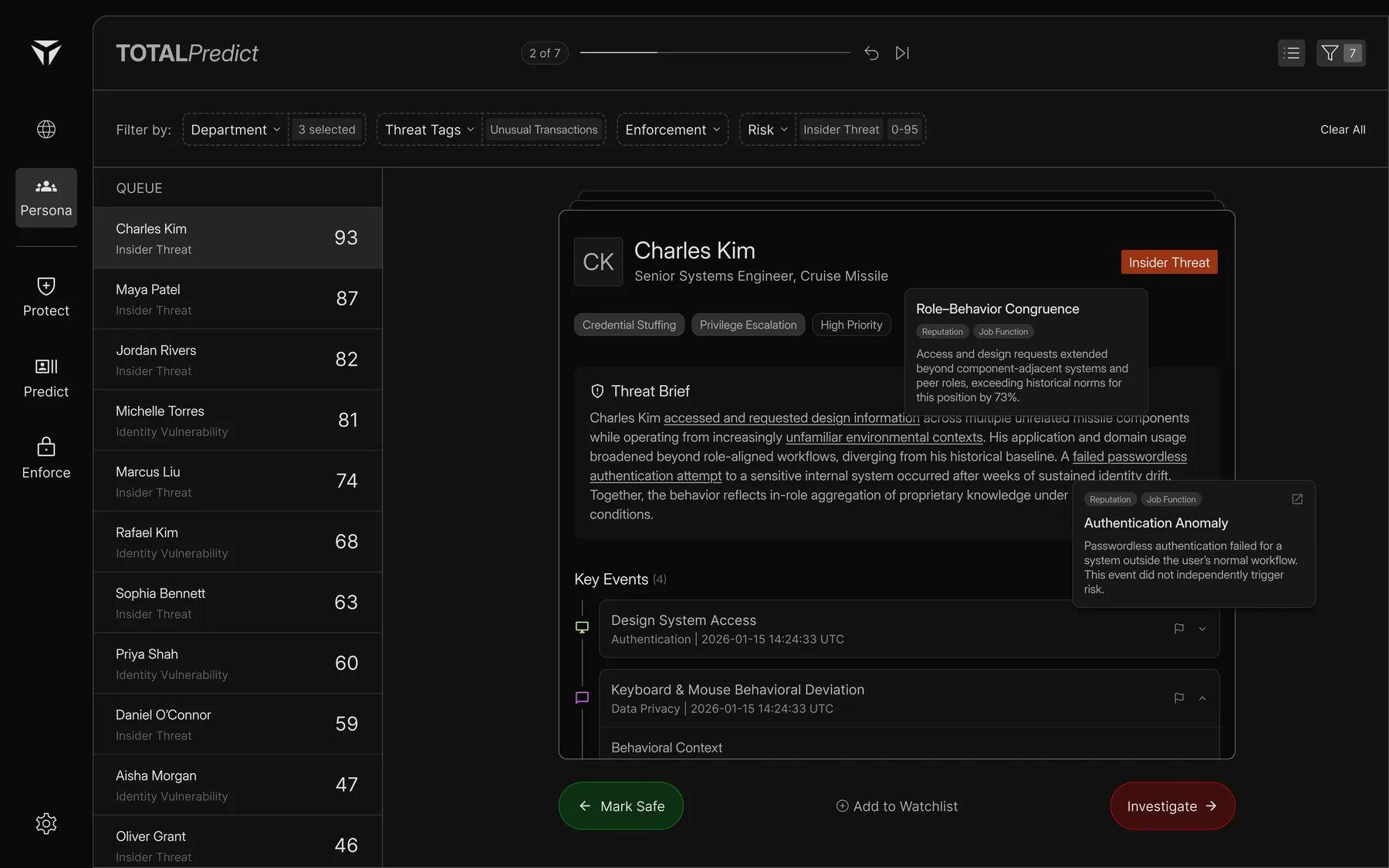
Underlined phrases opened a card with the signal behind them. The card covered the text you were reading, and the events sat in a separate list below.
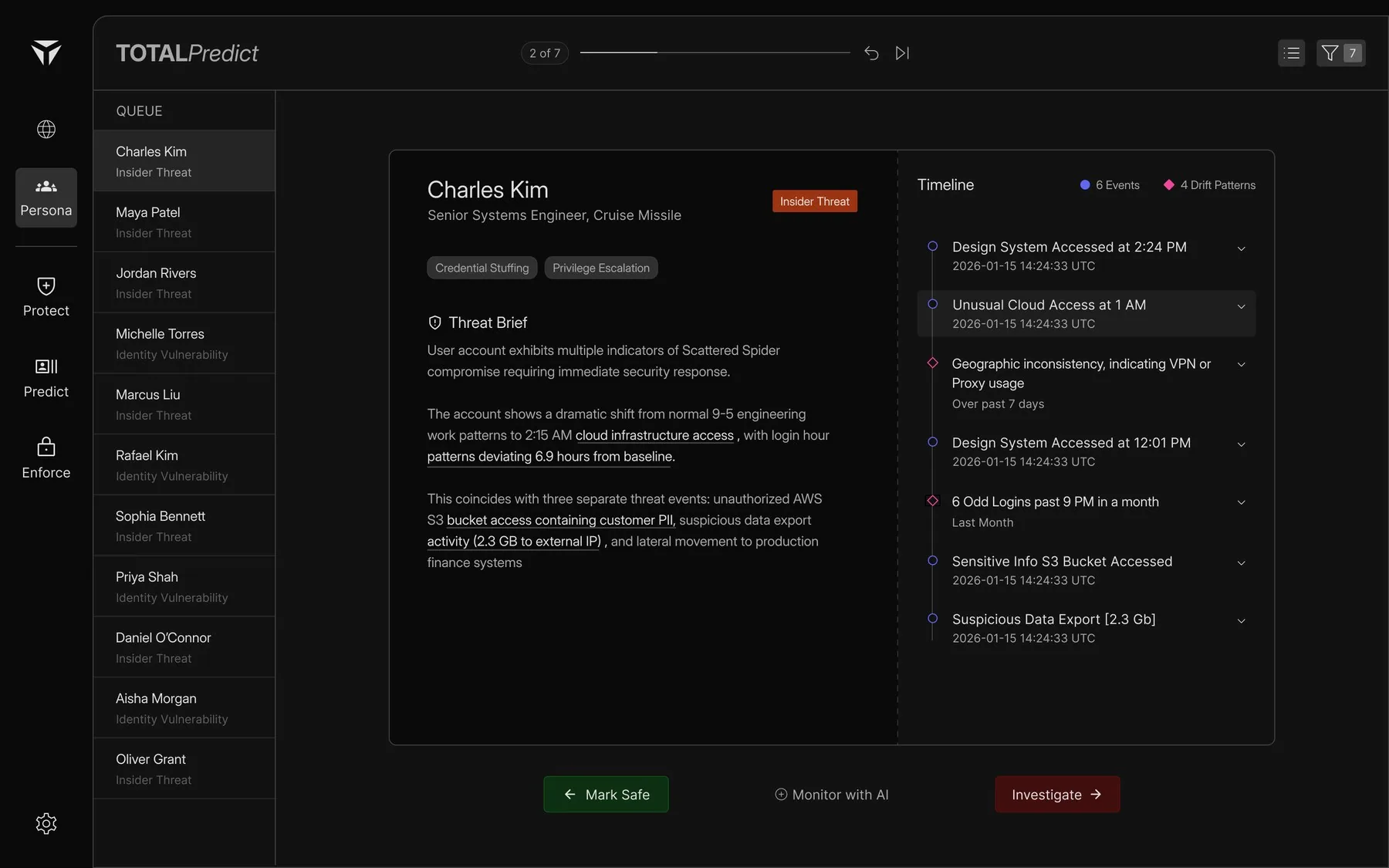
The timeline moved next to the brief with two kinds of entries, events and drift patterns. Citations pointed at entries instead of opening their own cards.
Hovering a citation scrolls the timeline to its entry, highlights it and opens it. The layout shifts to make room for the open entry, and the raw metadata is one click away.
Global search
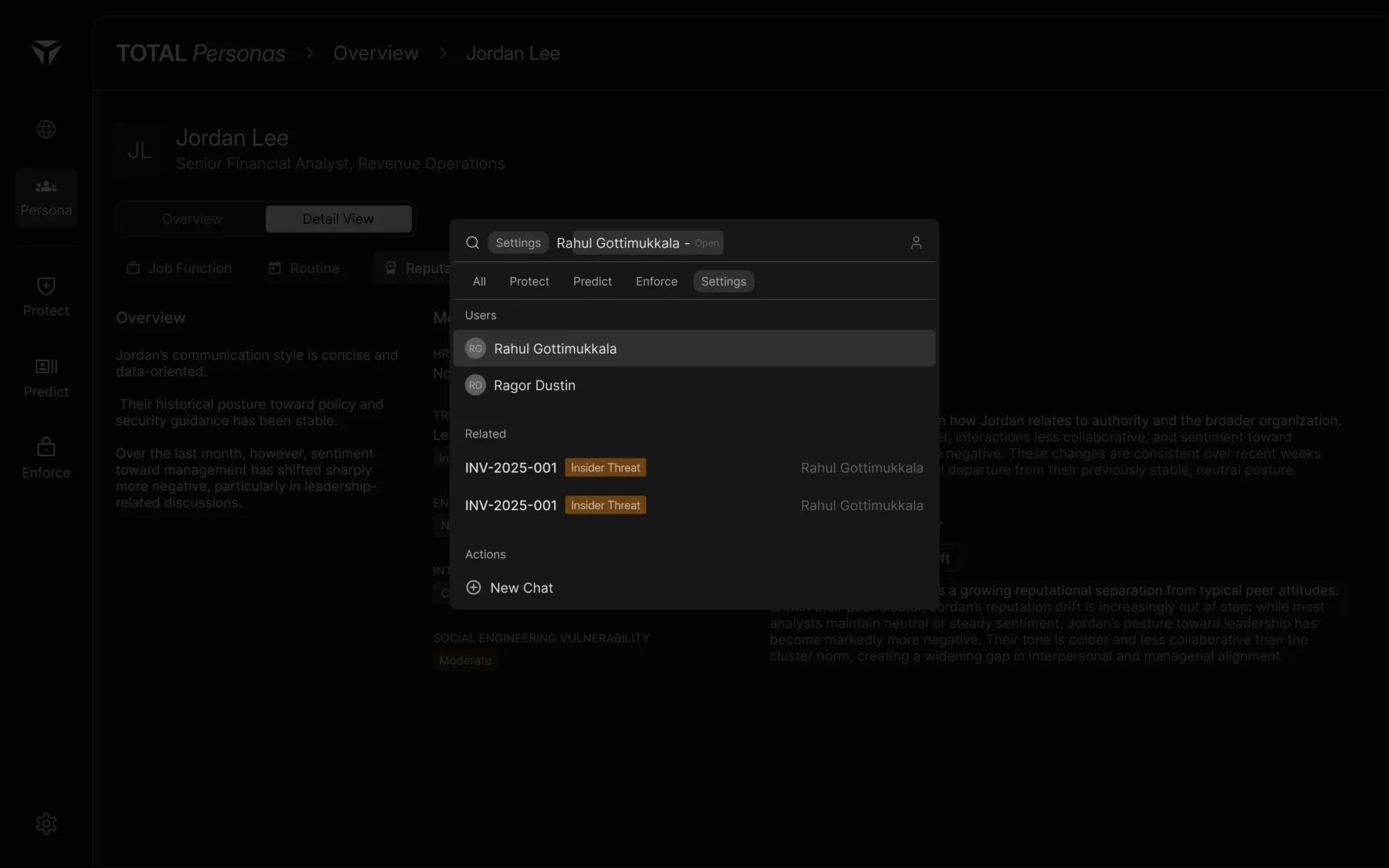
Analysts move between people, cases and pages all day. Pressing ⌘K or Ctrl K anywhere opens one search for all of it.
It pulls any profile from Active Directory, jumps to a page or to the related investigation, and when the input doesn't match anything, it opens a chat with it instead. I designed it, built it and designed its API.
Export for HR and legal
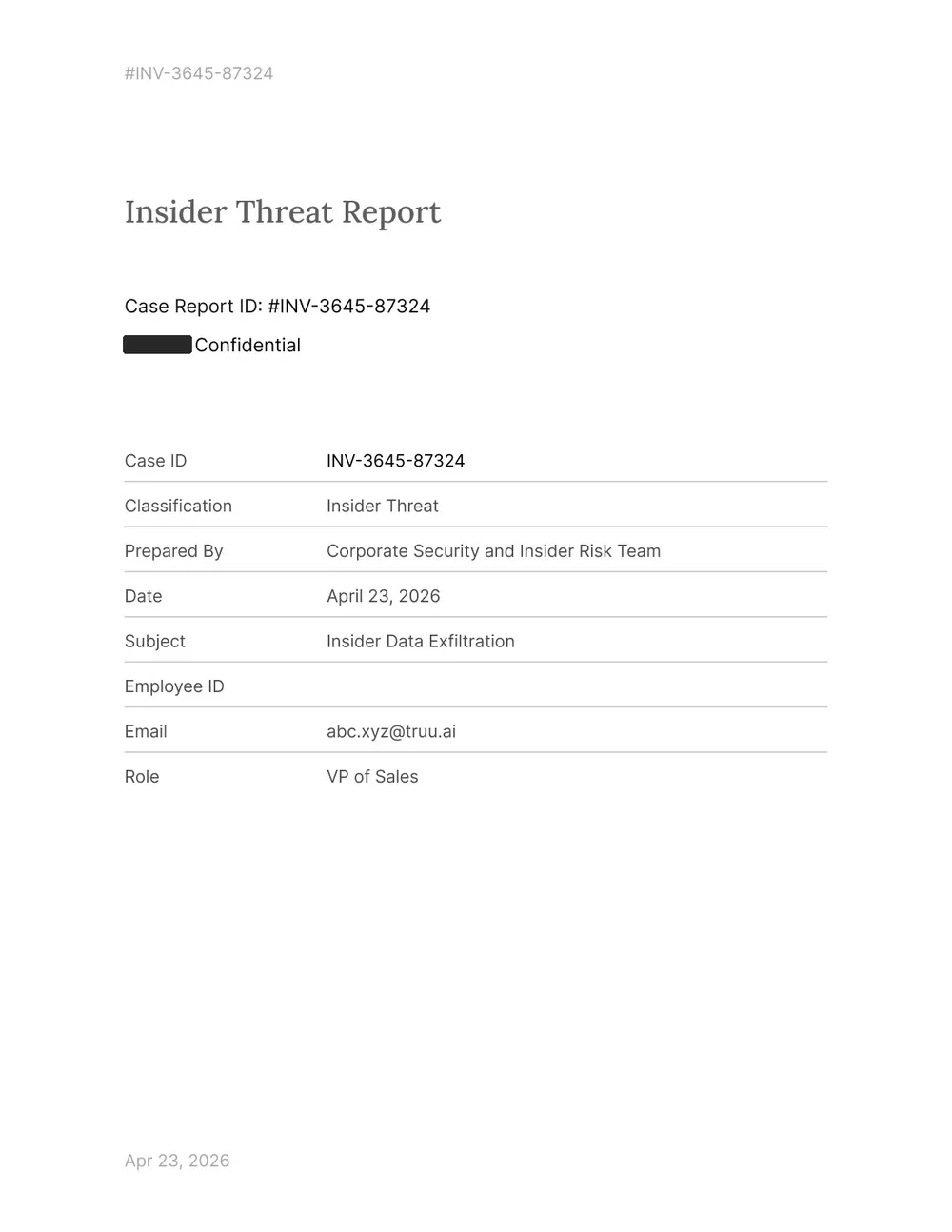
Insider threat cases often end up with HR and legal, and that's how these cases were handled. Those teams work from documents, not dashboards.
I built export so a case becomes a formal report, as a PDF or Word file, that can be shared with anyone on the investigation and kept as evidence.
The small things
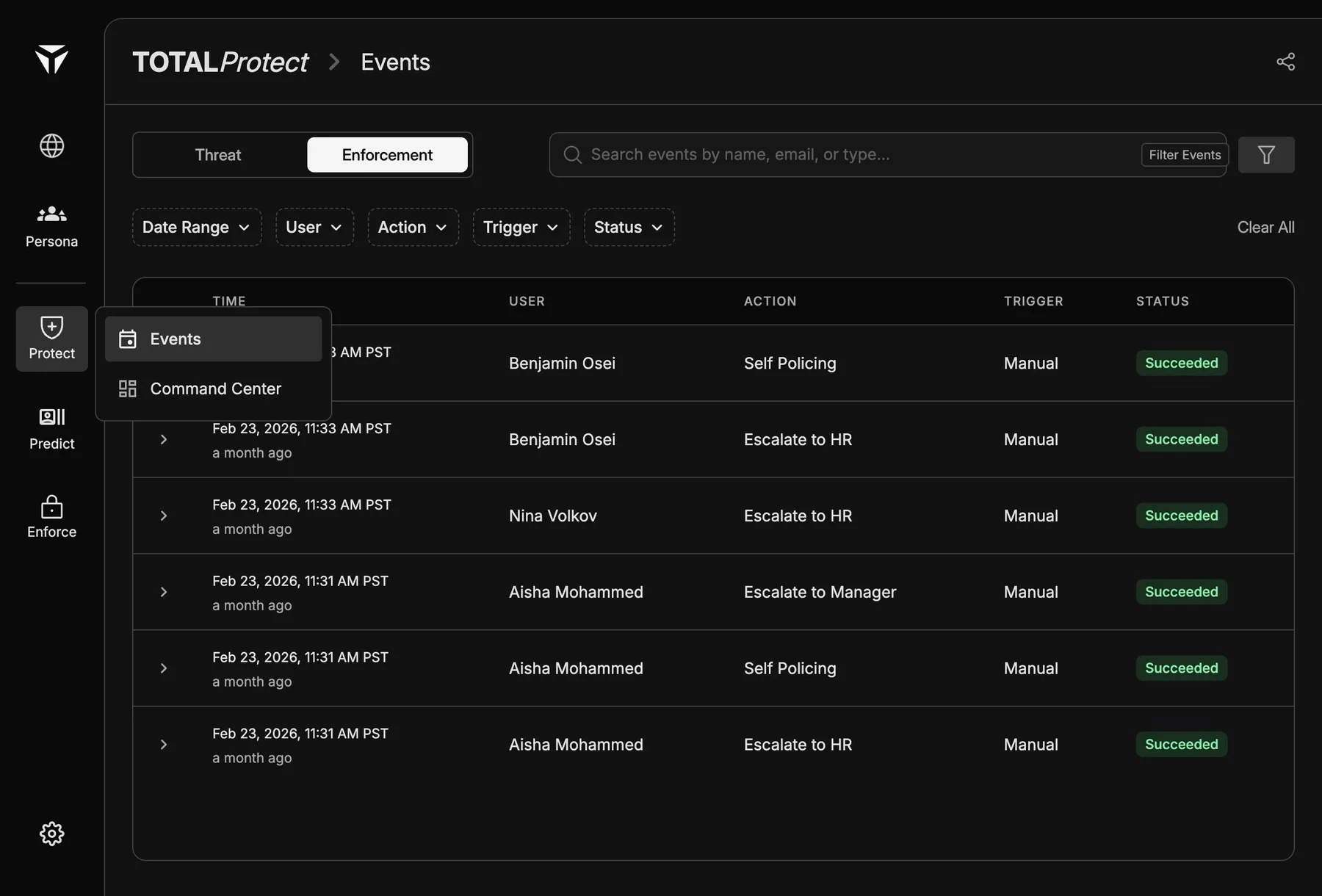
Protect and Enforce were designed by others. I refined their visuals, built them, and extended the backend where the screens needed it. I designed and built the global chat, including its contextual actions, and extended its API.
A lot of how TOTAL feels comes from small moments like these.
How I built it
Much of TOTAL's code was written with AI tools. I set up guardrails so it stayed consistent as it grew.
TOTAL's look sat as one layer on top of the shared base I set up for TruU's products, with semantic tokens for every color.
Rules and build checks caught off-token colors and drifting patterns before code review.
I trained the product designer to push frontend changes and reviewed their pull requests.
What I took from it
Trust in an AI answer comes from being able to check it. Citations only worked once I could shape the API and the screen together.
A demo and a daily tool have different jobs. The swipe sold the idea, and the queue is what analysts use.